Press
Everything here is cleared for editorial use. Nothing is gated and there is no form to fill in.
Rivet & Rune is a small software studio making native software for mobile and desktop platforms. CogniLog and Dice Builder are both out now. The kit below covers CogniLog; for Dice Builder, the product page and the App Store listing have the details, and we are happy to send more. For interviews, higher-resolution assets, or a TestFlight code, email support@rivetrune.com.
CogniLog
The work log your AI can read.
A native Mac and iPhone work log with a built-in connection that lets your own AI assistant read what you have written, and write down what it did.
At a glance
- NAME
- CogniLog
- MAKER
- Rivet & Rune (Rivet Rune LLC), a small studio making native software for mobile and desktop platforms
- PLATFORMS
- macOS and iOS. A real Mac app and a real iPhone app, one universal app.
- REQUIRES
- macOS 26 or later, or iOS 26 or later
- PRICE
- Currently free
- CATEGORY
- Productivity
- FIRST RELEASED
- 12 July 2026
- AVAILABILITY
- Available now on the App Store, iOS and macOS. Also on TestFlight for people who want the latest beta builds.
- APP STORE
- apps.apple.com/app/id6787191035
- TESTFLIGHT
- testflight.apple.com/join/dHCay9WF
- WEBSITE
- rivetrune.com/apps/cognilog/
- CONTACT
- support@rivetrune.com
Why it is different
Your AI assistant reads your work log, and writes to it
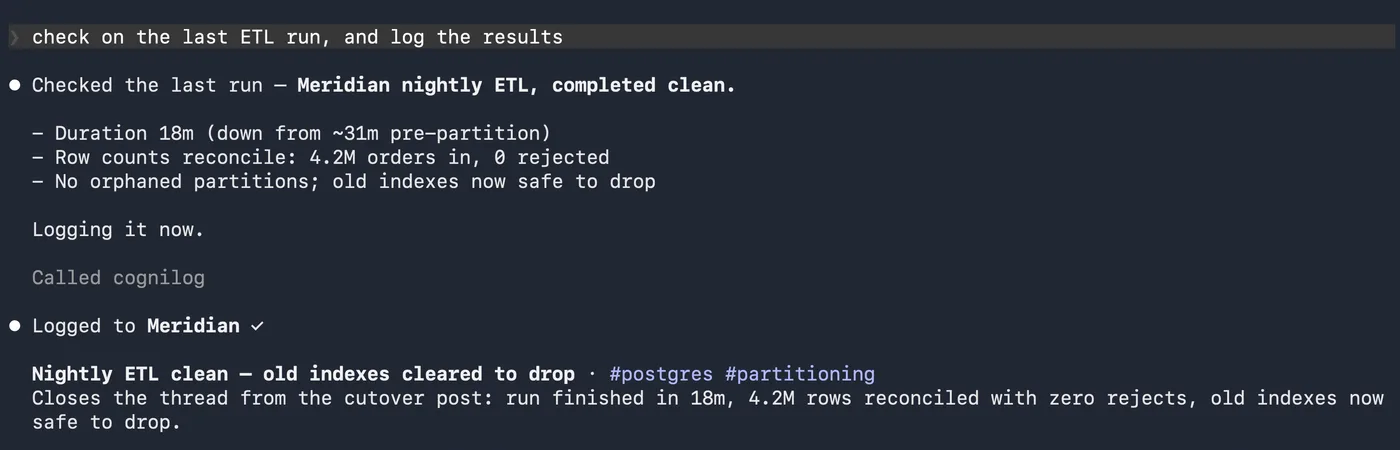
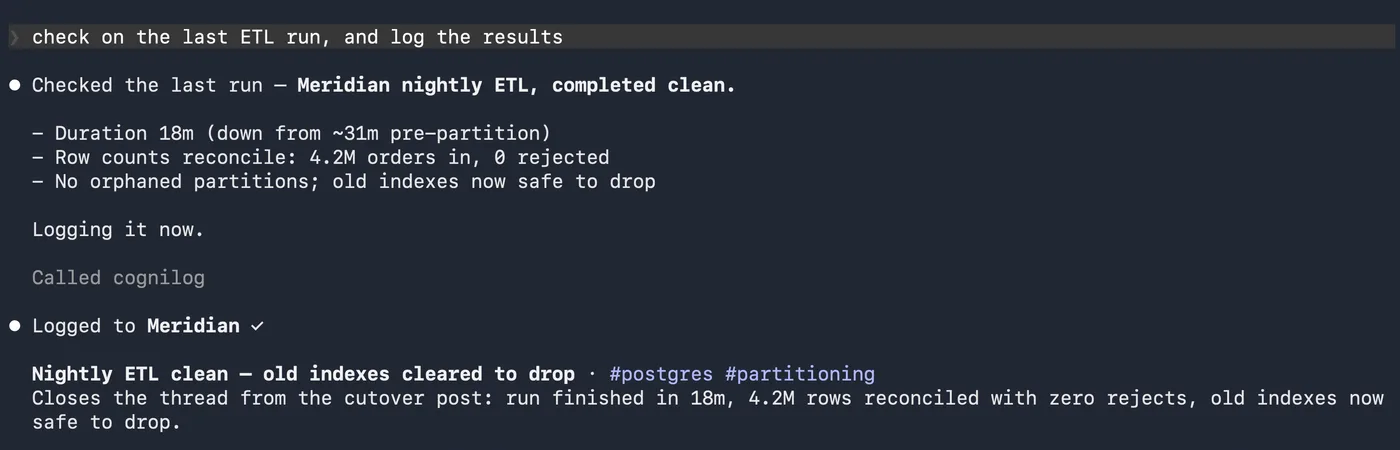
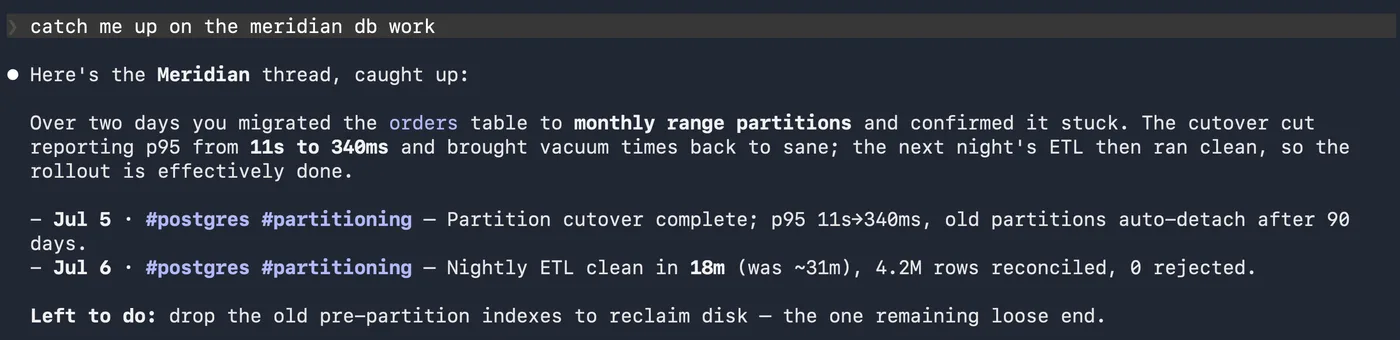
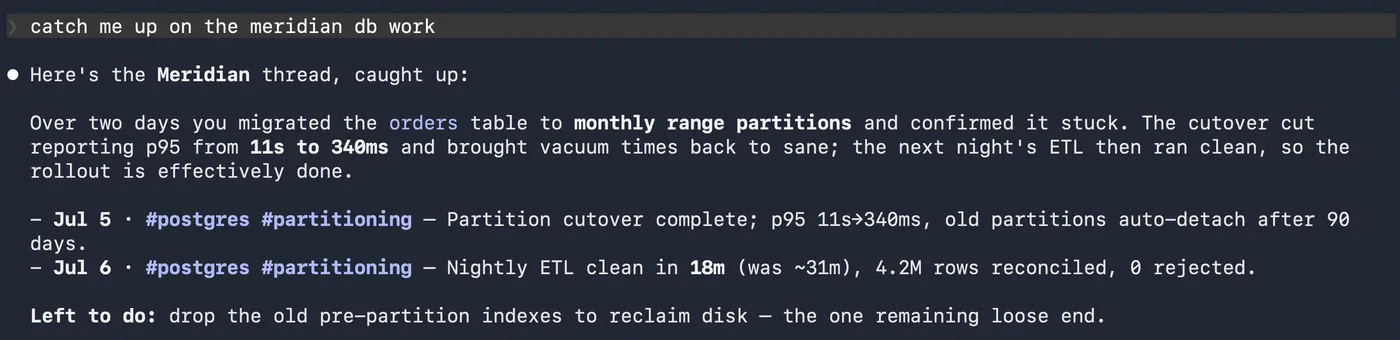
CogniLog ships with a built-in MCP (Model Context Protocol) server. Connect an assistant you already use, such as Claude, and it can read your log to answer questions like “what was I working on last week?” or “why did I make that call three months ago?” It also writes: an agent can log what it just did, so the work it does on your behalf ends up in the same record as the work you did yourself. You and your assistant share one space you both read from and write to, which is the part that makes the log keep up with how people actually work now. As far as we have been able to find, no other work-log or journaling app does this.
It is truly native, on the newest Apple platforms
A real Mac app and a real iPhone app built on macOS 26 and iOS 26, not a cross-platform web wrapper. Capture from the menu bar, a global hotkey, the share sheet, Siri and Shortcuts, or a lock screen widget.
It respects your data
Everything is stored locally on your devices. Sync runs through your own iCloud and never through us. No accounts to create, no ads, no third-party tracking. Import from Apple Notes, Day One, Obsidian, Bear, or any Markdown, and export everything back out as plain Markdown any time. No lock-in.
Boilerplate
One-liners, pick to fit
- The work log your AI can read.
- A work log your AI assistant can read, and add its own work to.
- A native Mac and iPhone work log you can look back across, or let your assistant look up for you.
- Write down the thinking behind your work, then find it again later.
Short
CogniLog is a native Mac and iPhone work log for anyone with work worth remembering. You write down the thinking behind your work in plain text, then find it again later by scanning a day, a week, or a whole year, by searching, or by asking your own AI assistant through a built-in connection. It keeps your log on your devices, syncs through your own iCloud, and is currently free.
One paragraph
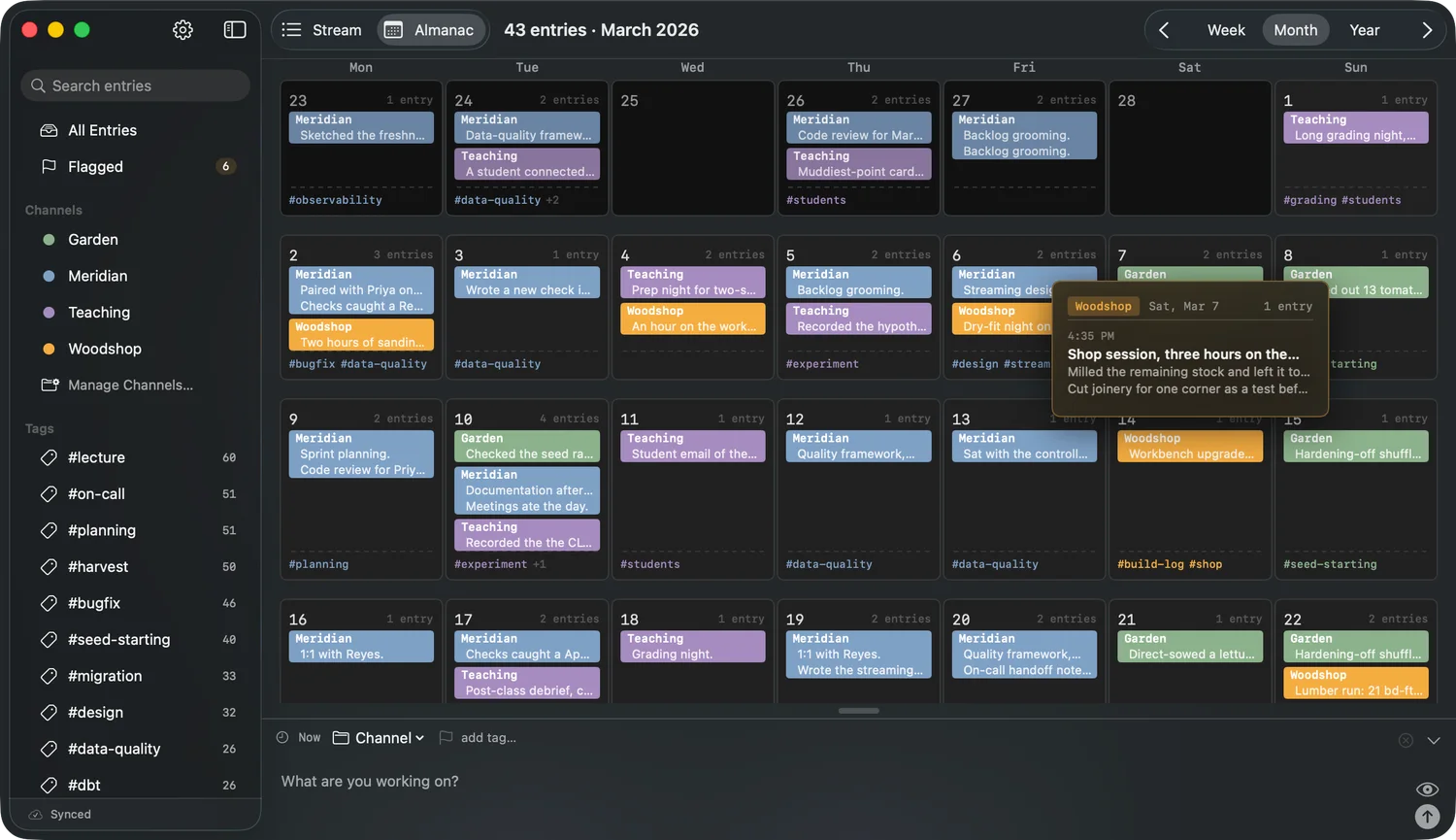
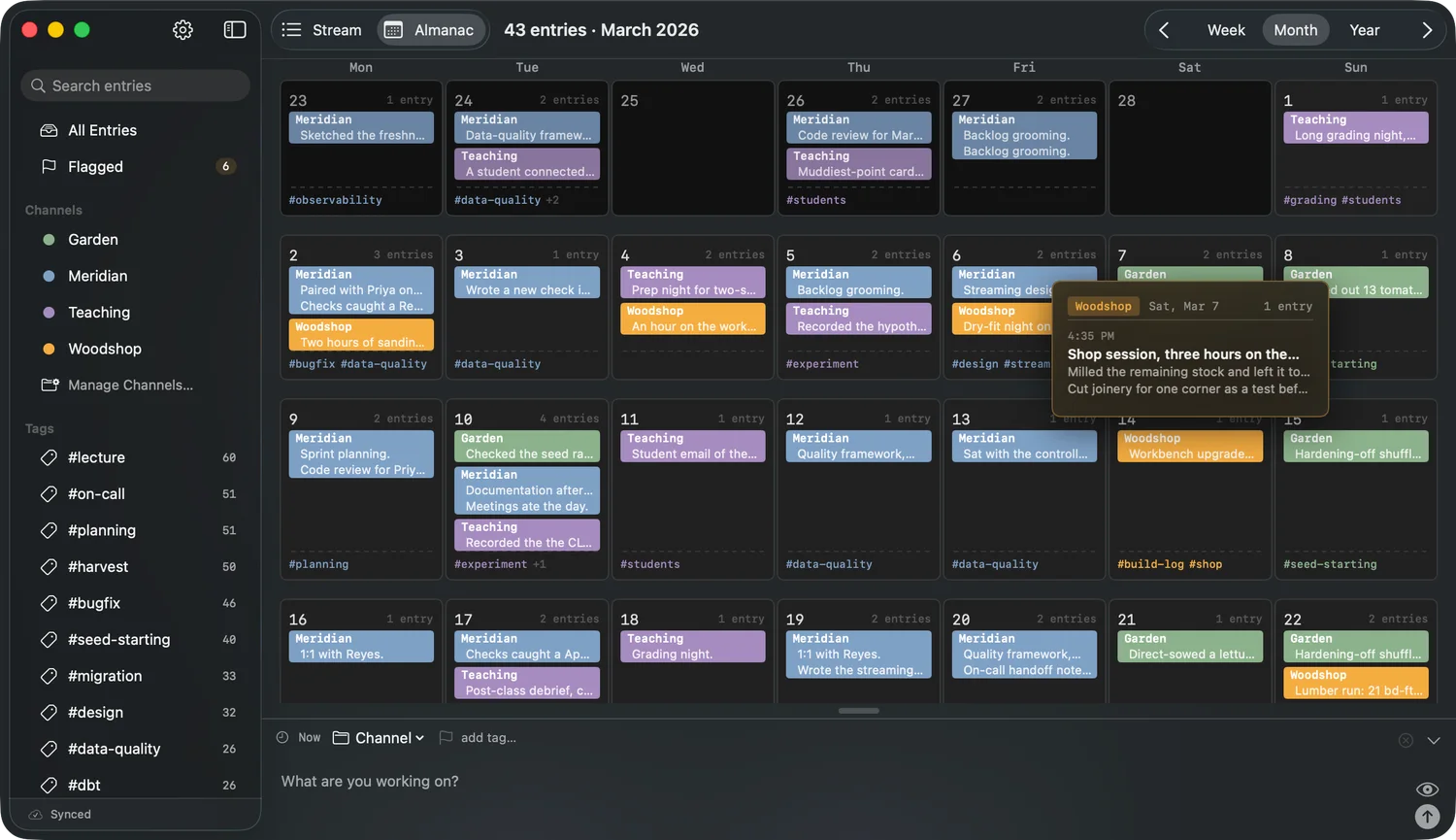
CogniLog captures the story behind your work: the decisions, the dead ends, and the reasoning you would otherwise forget. Entries are plain text with light Markdown that formats as you type, filed by simple #tags and channels. The Almanac turns the whole log into a map you can scan from a full year down to a single moment. What sets CogniLog apart is a built-in MCP server, a connection that lets an AI assistant you already use, like Claude, read your log and answer questions about your own work, and even add entries of its own. It is a genuinely native Mac and iPhone app, not a website in a wrapper, with quick capture from the menu bar and lock screen. Your log stays on your devices and syncs through your own iCloud, with no accounts, no servers of ours, no ads, and no tracking. CogniLog is made by Rivet & Rune, a small studio making native software for mobile and desktop platforms.
Feature list
- Quick capture from a pinned input bar, the macOS menu bar, a global hotkey, the share sheet, Siri and Shortcuts, and an iPhone lock screen widget
- Plain text with light Markdown that formats as you type; headings become headings, code becomes code
- #tags and channels to file and separate projects and contexts, with no forms or fields
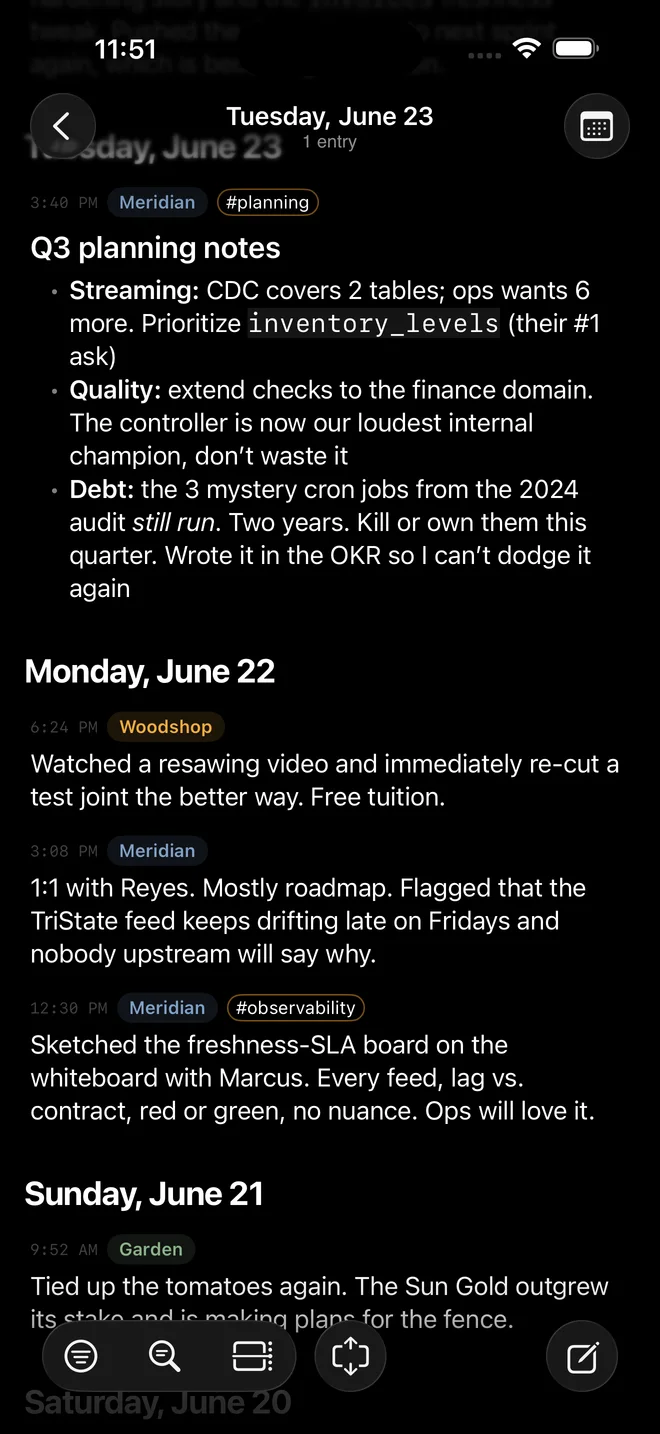
- The Almanac, a visual map of your log from year to month to week to day, with per-day summaries
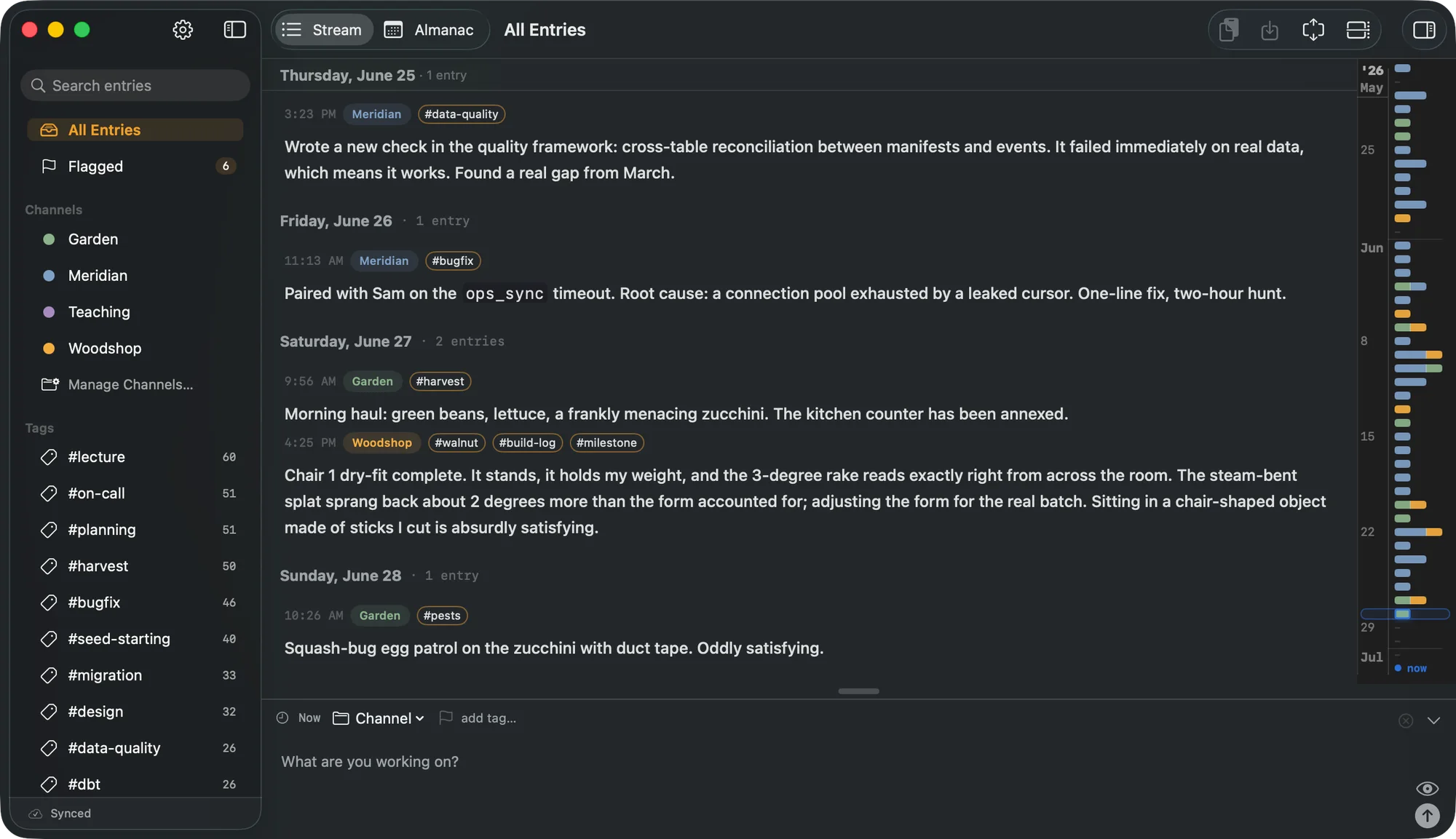
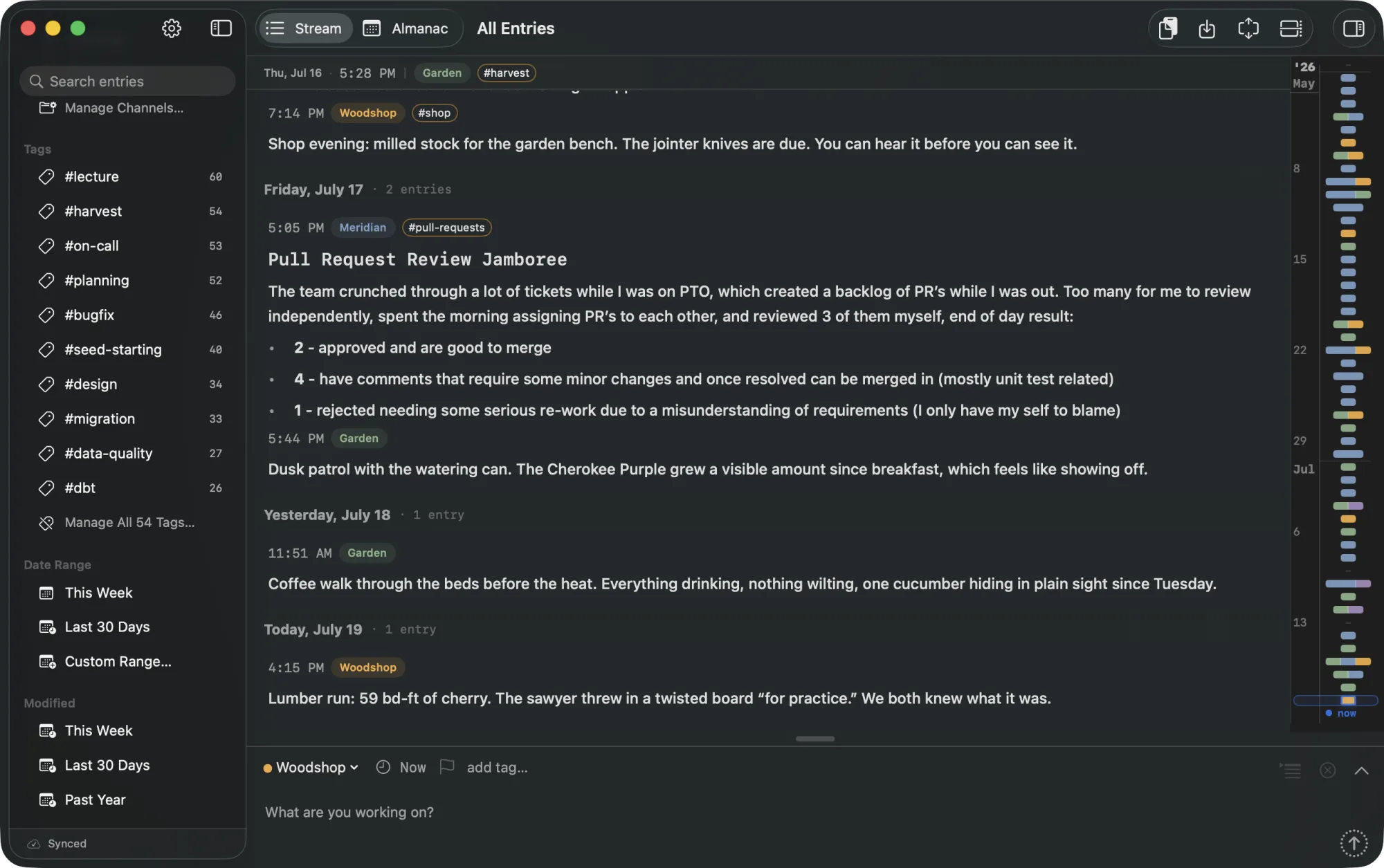
- The Stream, a running timeline of everything, with a temporal scrubber
- Search and filtering across tags, channels, flags, and text
- Built-in MCP server so your own AI assistant can read and add to your log
- iCloud sync across Mac and iPhone through your own account
- Import from Apple Notes, Day One, Obsidian, Bear, and Markdown files; export as plain Markdown
- Widgets for the lock screen and home screen; optional daily and streak reminders
- Local-first and private: no accounts, no servers of ours, no ads, no tracking
Pricing
CogniLog is currently free, and the heart of it, writing things down and finding them again, is meant to stay that way for the people who are already using it. Some more advanced capabilities may become a paid upgrade later; the details are still being worked out. If pricing ever changes, it will not change for the people already here.
Please write this as “currently free,” not “free forever.”
Suggested quote
Attributable to Rivet & Rune.
“Most of what we learn at work lives in our heads or gets scattered across notes we never find again. CogniLog is a place to write the thinking down once, in plain text, and get it back however you need it later, including by just asking your assistant. We wanted the log itself to be something your AI tools can actually read, so the two of you are working from the same memory.”
A named-spokesperson quote can be provided on request. Get in touch for interviews.
Background
The origin story in the maker’s own words: The Cognitive Gap, published 17 August 2026, on the gap between reasoning and recollection and why CogniLog exists. It is written in the first person, so it is the best source for the human side of the story. Quote freely with attribution to Rivet & Rune.
Media
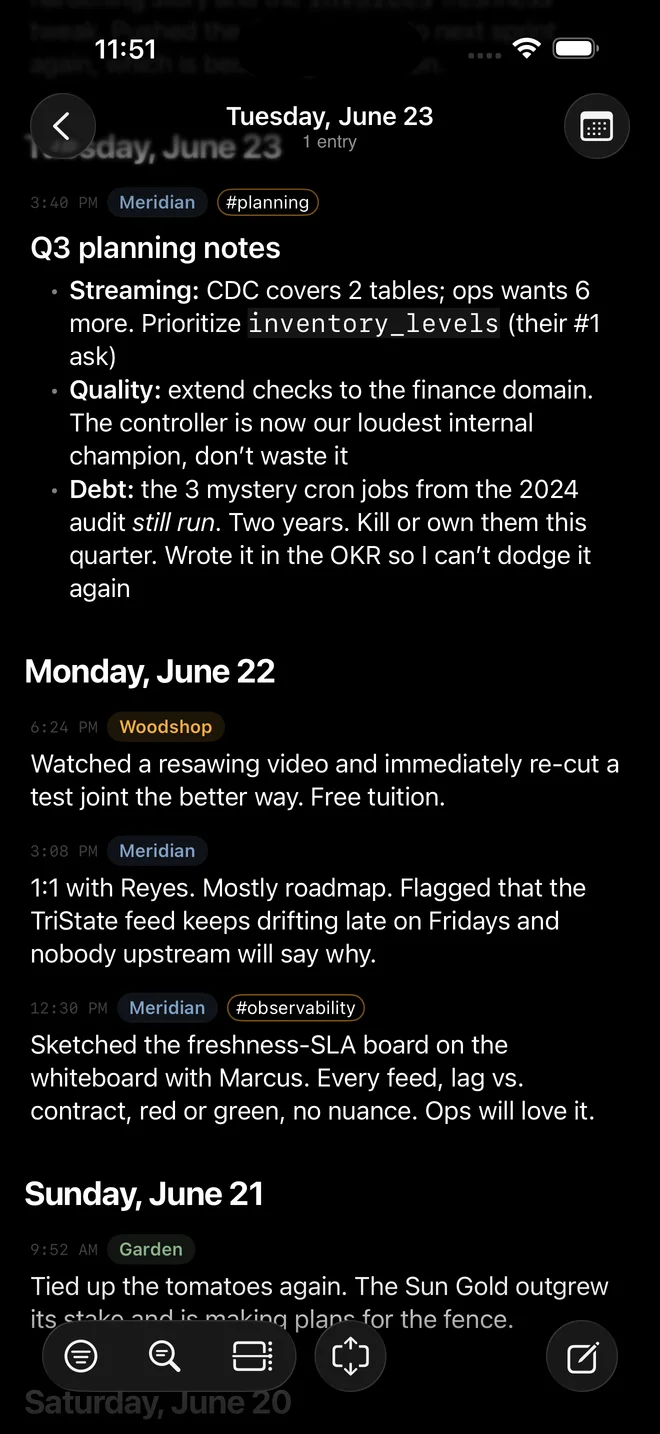
Cleared for editorial use. Click any image for the full-resolution file. Screenshots use neutral demo data, nothing personal. The two MCP images are the ones to reach for first: the AI connection is the story, and it is the least self-evident feature to describe in words.
Every image above downloads as PNG or WebP at full resolution, so nothing here needs converting. For anything else, an additional screenshot, the icon at another size, or a TestFlight code, email support@rivetrune.com and it will come back the same day.
Usage. These images may be used in coverage of CogniLog. Please do not alter the interface content. Credit “Rivet & Rune” where a credit is shown.
Facts and boundaries
So nothing gets misreported.
- It is currently free, not “free forever.” See Pricing.
- The AI connection is opt-in and local. The MCP server runs only when the user starts it, only responds to tools the user points at it, and shares nothing on its own. If the user never connects an assistant, nothing is shared.
- Sync is the user’s own iCloud, not a Rivet Rune server. We do not hold or read anyone’s log.
- Requires macOS 26 or iOS 26. Earlier OS versions are not supported.
- No iPad or Apple Watch app. iPhone and Mac are the focus. An iPad layout is something we would like to do, with no timeline attached. Please do not print a date for it.
- Maker is Rivet & Rune (Rivet Rune LLC). Public materials are studio-attributed.
Links
- APP STORE
- apps.apple.com/app/id6787191035
- TESTFLIGHT
- testflight.apple.com/join/dHCay9WF
- MARKETING
- rivetrune.com/apps/cognilog/
- BACKGROUND
- rivetrune.com/notes/the-cognitive-gap/
- SUPPORT
- rivetrune.com/apps/cognilog/support/
- PRIVACY
- rivetrune.com/apps/cognilog/privacy/
- TERMS
- rivetrune.com/apps/cognilog/terms/
- PRESS
- support@rivetrune.com, for interviews, assets, or a TestFlight code
Rivet Rune LLC. We read the emails.